
CROWDSTREAM CONNECT
AI Meeting Intelligence Platform
for Business Teams
Run business meetings directly in your browser and transform conversations into searchable transcripts, meeting summaries, decisions, and action items. CrowdStream Connect is an AI meeting intelligence platform that unifies live meetings and ongoing team collaboration to streamline communication and keep teams aligned.


THE CHALLENGES
Turn Business Meetings Into
Useful, Searchable Knowledge
Transform business meetings into valuable, searchable knowledge with CrowdStream Connect, an online meeting platform for businesses. Streamline team collaboration through browser-based meetings, searchable transcripts, meeting recordings, and AI-assisted insights that help teams capture key discussions, decisions, and actionable outcomes.


Lost information
Important meeting details are difficult to find later.

Scattered decisions
Decisions remain spread across individual notes.

Manual follow-ups
Teams depend on manual notes to track next steps

Missed discussions
Not everyone can attend every live meeting.

Meeting setup friction
Getting participants into a meeting can create unnecessary friction.
BROWSER-BASED MEETINGS
Browser-Based Video Conferencing Software Without
a Dedicated Desktop App
Start or join business meetings directly through your browser. Bring your team together through live video and audio, then continue with meeting records and follow-ups.
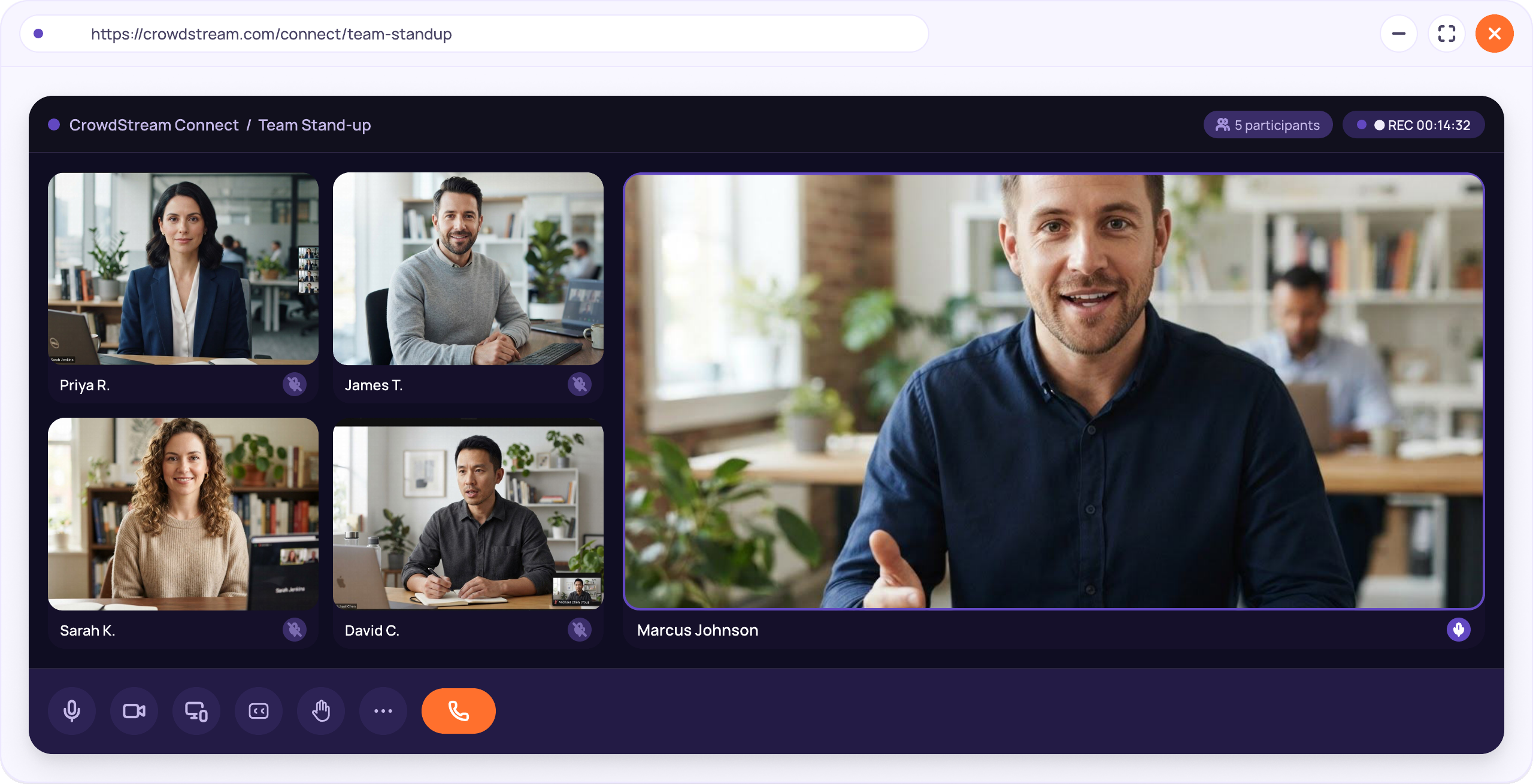

Join Meetings in the Browser
Connect without a dedicated desktop application in the described workflow.

Communicate in Real Time
Bring teams and clients together through two-way video and audio.

Continue Beyond the Call
Connect live discussions with meeting records and follow-up information.
KEY FEATURES OF CONNECT
Everything Your Team Needs Before,
During, and After a Meeting
Simplify team communication with browser-based meetings, recordings, transcripts, AI-assisted summaries, and project rooms. CrowdStream Connect is an online meeting platform for businesses that supports your team before, during, and after every meeting.
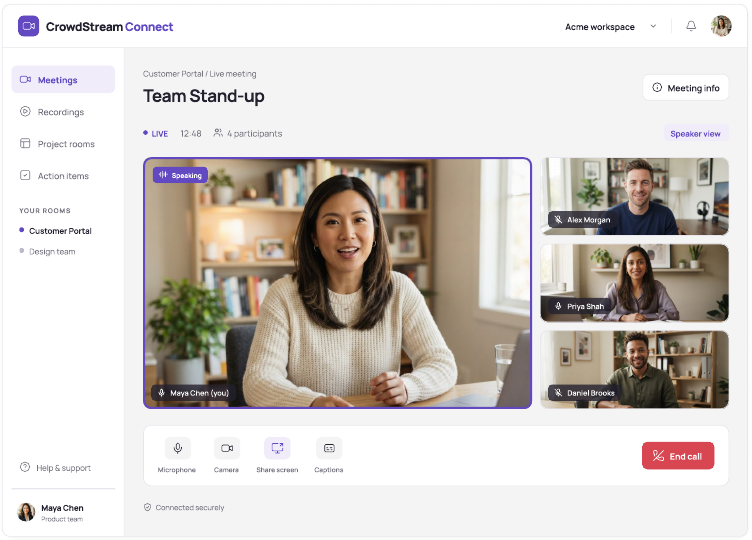
Browser-Based Video Meetings
Host live business meetings with HD video and full-duplex audio, using browser-based video conferencing software.
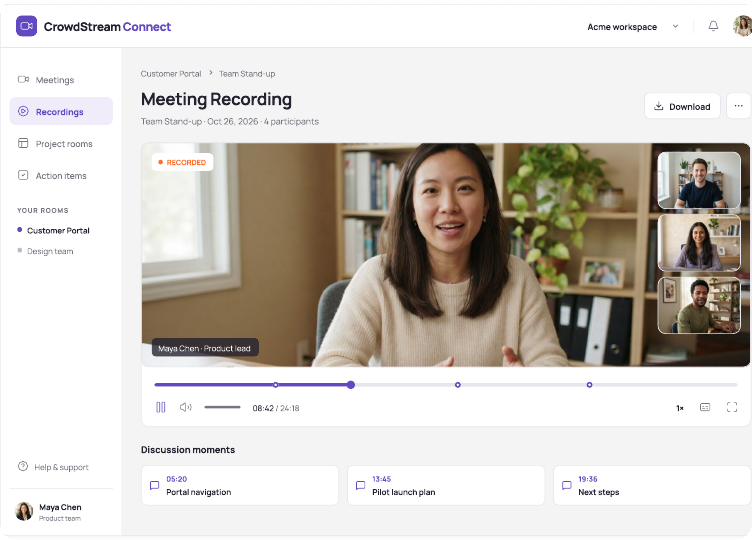
Meeting Recording
Preserve meeting sessions for later review, subject to the relevant consent requirements.
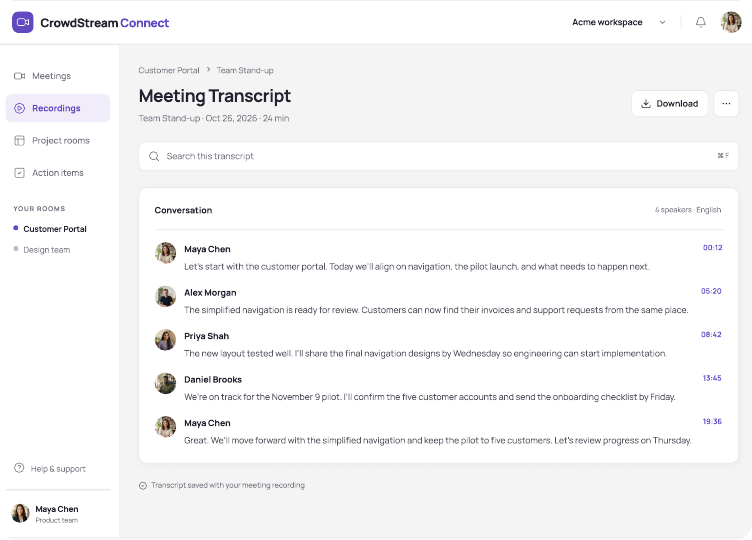
Meeting Transcription
Turn meeting conversations into text that participants can revisit with meeting transcription software.
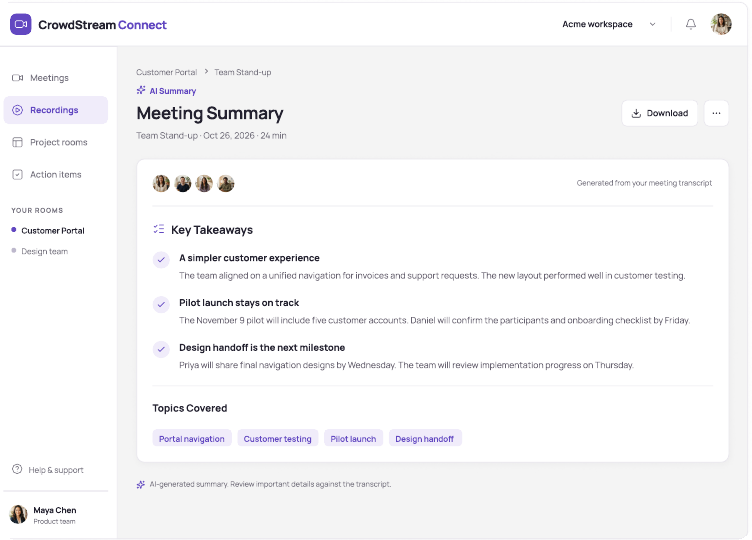
AI Meeting Summaries
Provide a concise summary of the discussion after the meeting.
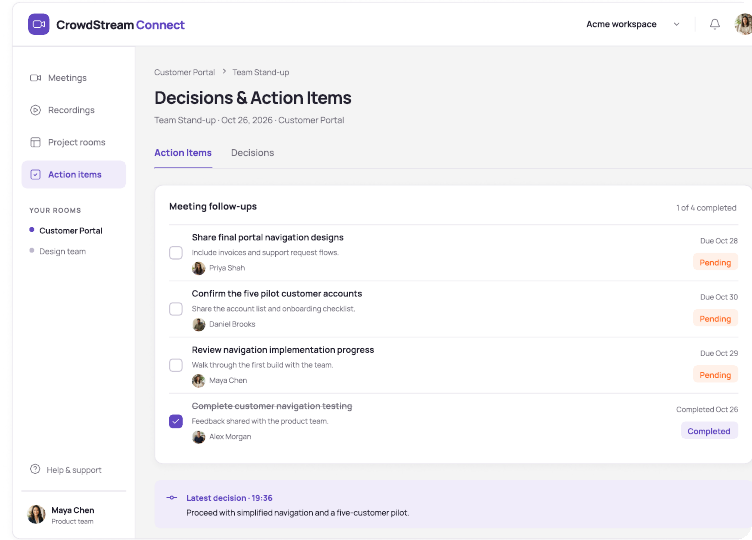
Decision and Action-Item Capture
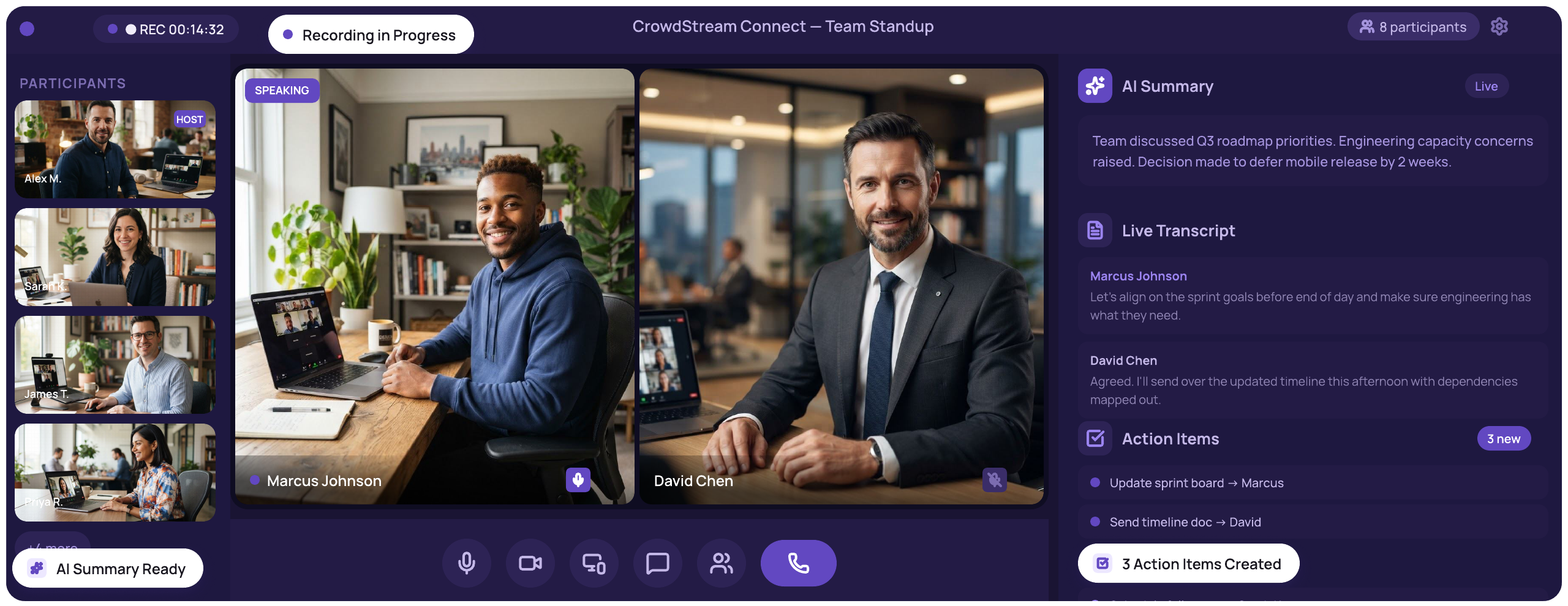
Extract decisions and action items, assign them to attendees, and connect them to project history.
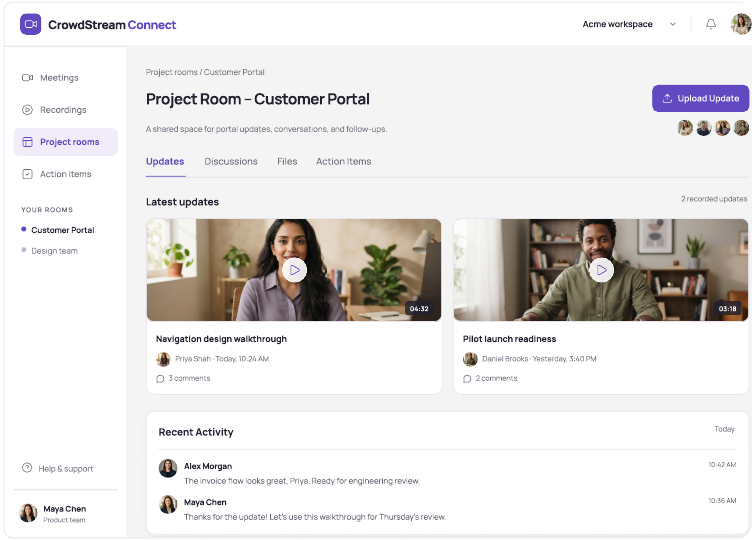
Persistent Project Rooms
Keep live discussions and asynchronous video updates connected to the broader project context.
RECORDING & TRANSCRIPTION
Record and Transcribe Video
Meetings, Then Find What Matters
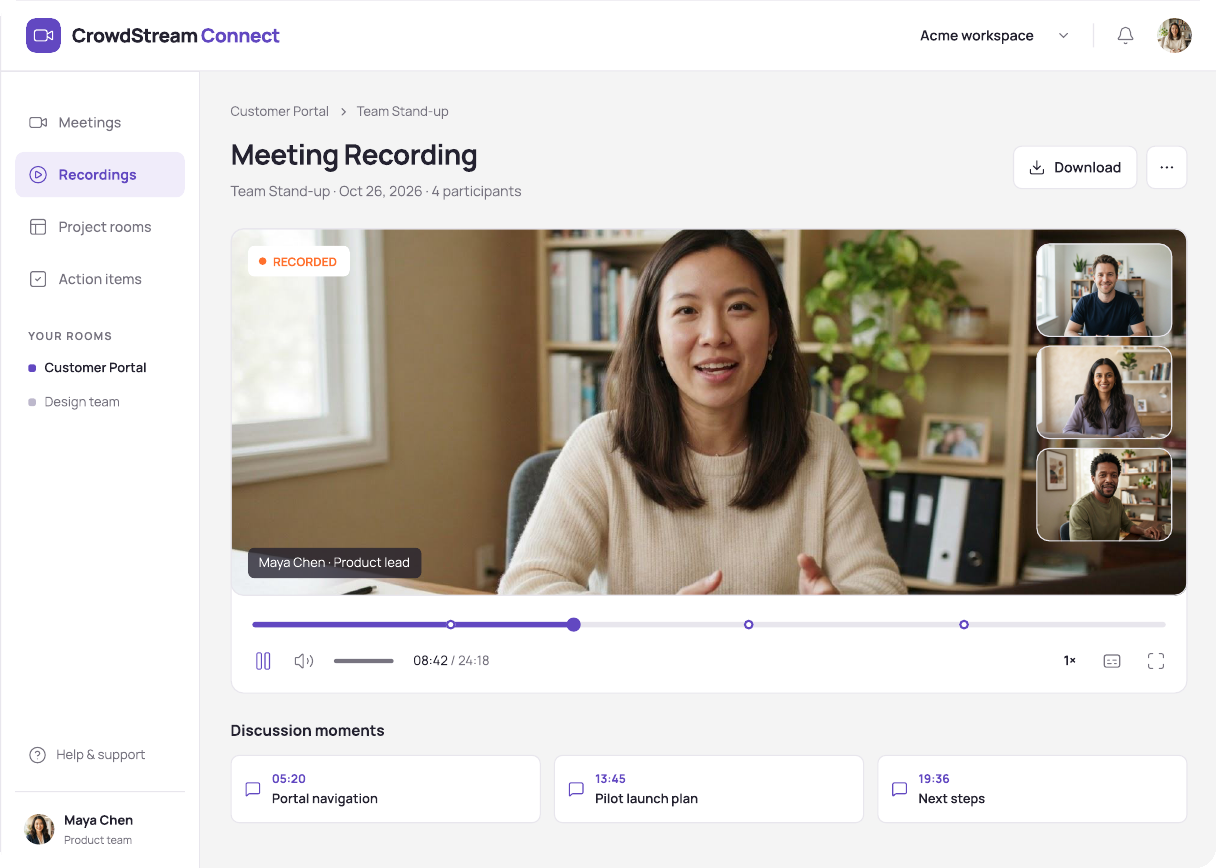
With CrowdStream Connect, meeting conversations can become a reference your team returns to after the call. Recording and transcription help preserve the discussion, while searchable meeting history helps authorized users find relevant topics, participants, and decisions without relying only on memory or personal notes.
AI MEETING INTELLIGENCE
Turn Meeting Conversations
Into Decisions and Next Steps
As an AI meeting intelligence platform, CrowdStream Connect turns meeting conversations into a reference your team returns to after the call. Using our meeting transcription software, recording and transcription help preserve the discussion, while searchable meeting history helps authorized users find relevant topics, participants, and decisions without relying only on memory or personal notes.

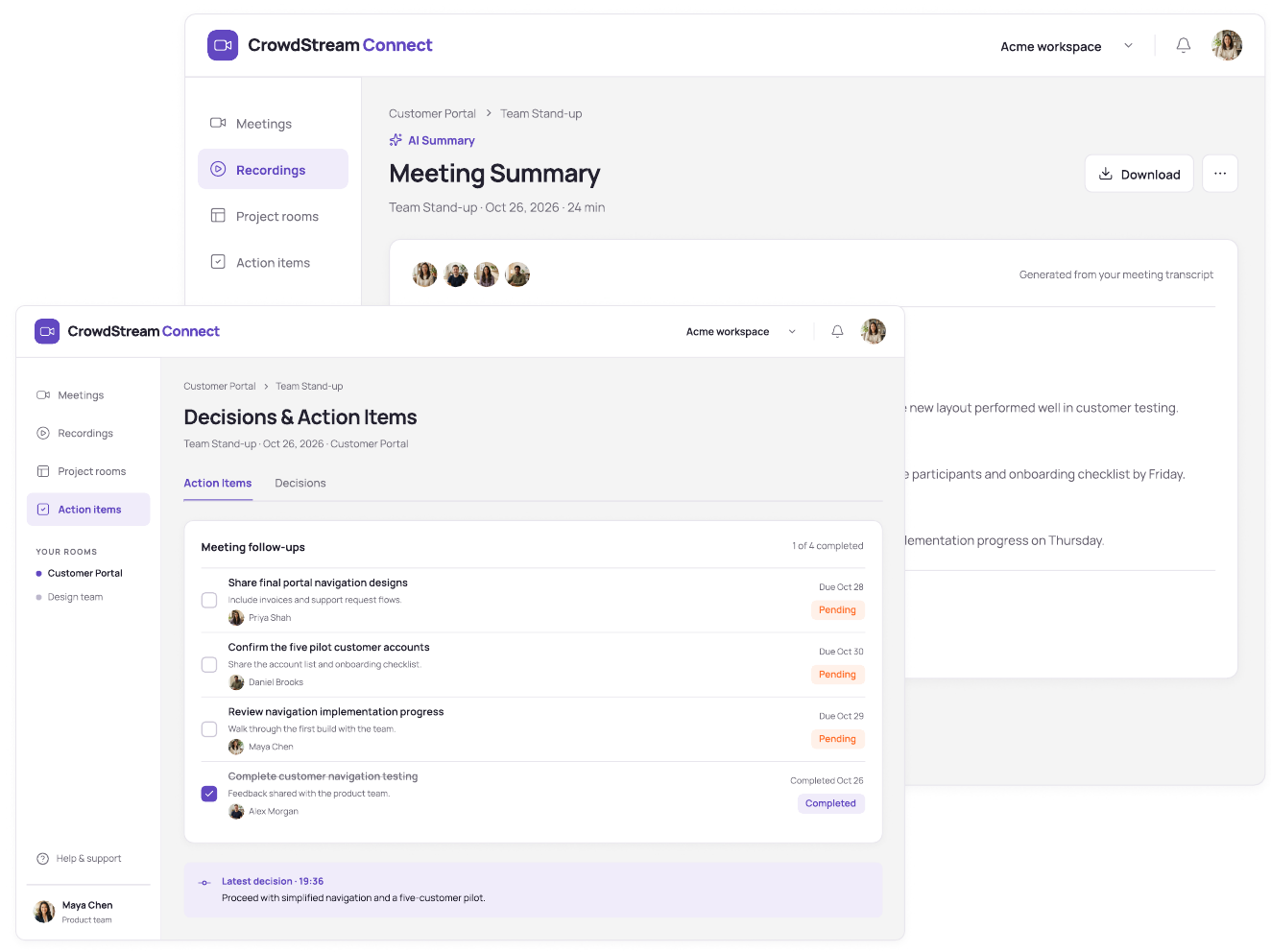
Meeting Summaries
Help participants revisit the key points discussed.

Key Decisions
Extract decisions made during the conversation.

Action Items
Identify action items, assign them to attendees, and connect them to the broader project history.
AI MEETING INTELLIGENCE
Keep Projects Moving With
Asynchronous Video
Collaboration for Teams
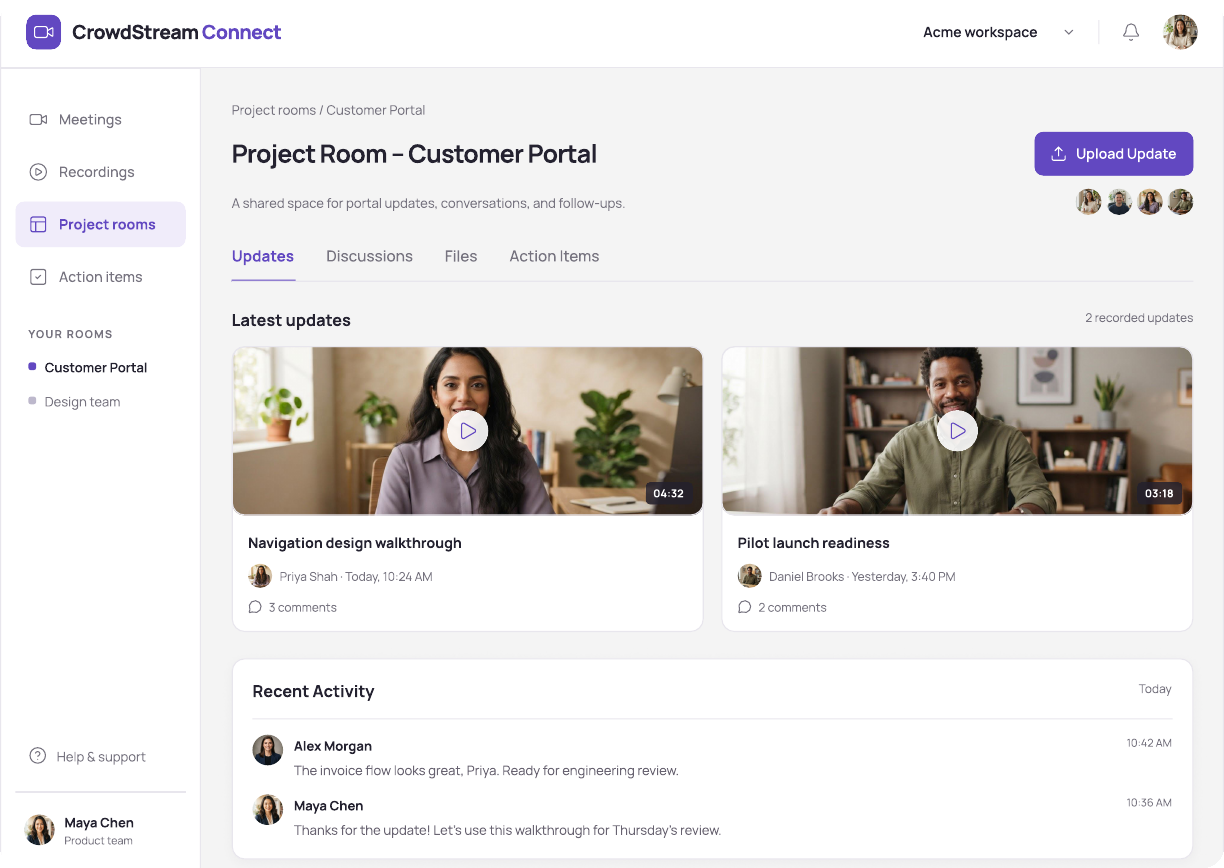
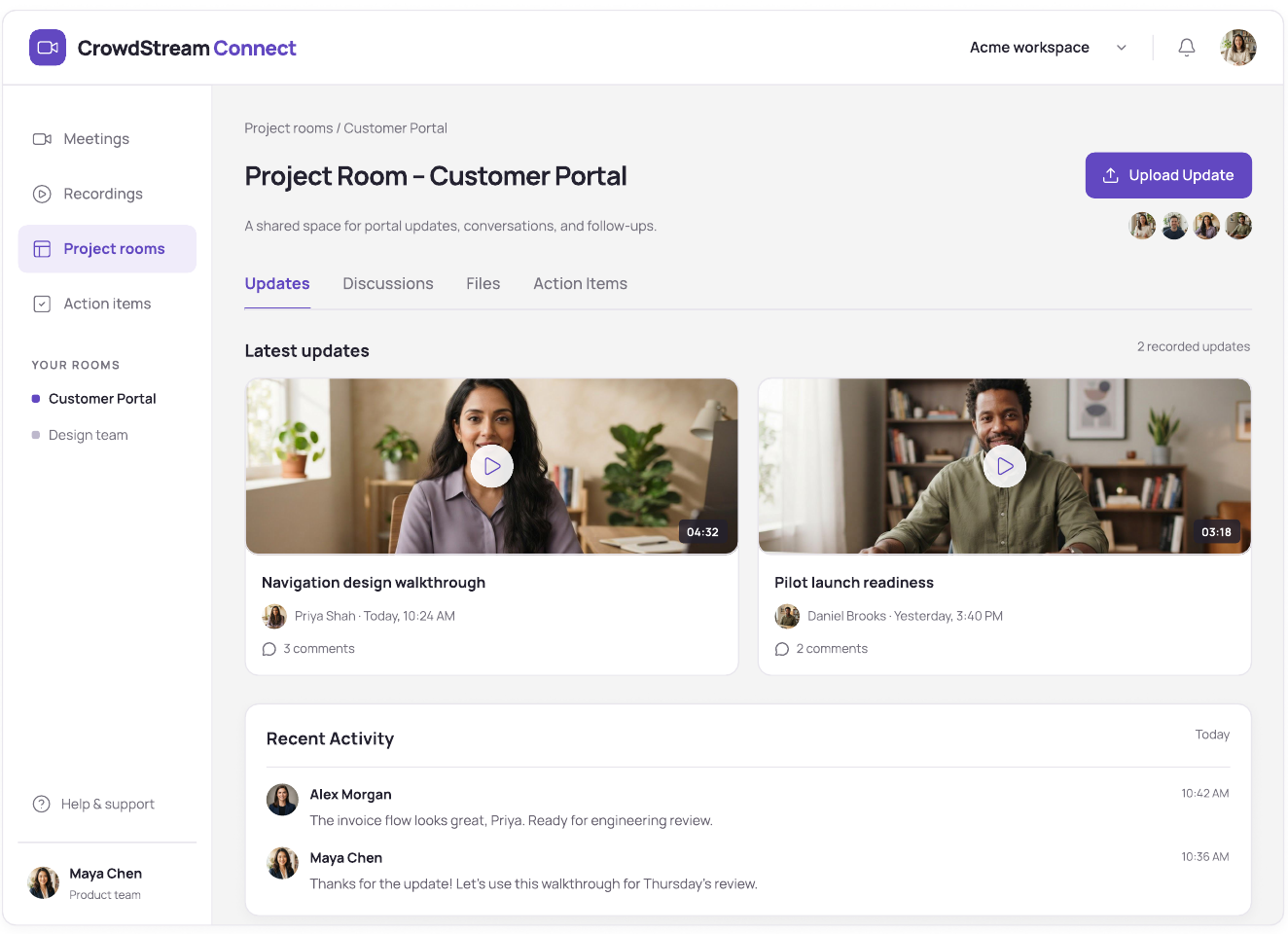
Not every discussion needs to happen at the same time. CrowdStream Connect supports asynchronous video collaboration for teams through persistent project rooms, where teams can hold live meetings or share recorded video updates and comments. This gives participants another way to contribute, review context, and keep project discussions moving when schedules differ.

Persistent Project Rooms
Dedicated spaces to keep project discussions, updates, and files in one place.

Record & Comment
Share video updates and get feedback from your team, anytime.

Keep Work Moving
Maintain context and continuity, even when schedules don’t align.
WHO IT IS FOR
Built for Teams That Need
More From Every Meeting
An AI meeting intelligence platform for teams that need better conversations and follow-through.

Support Teams
Revisit important meeting details.

QA Managers
Review recordings and transcripts.

Sales Teams
Revisit decisions and next steps.

Distributed Teams
Collaborate across schedules.
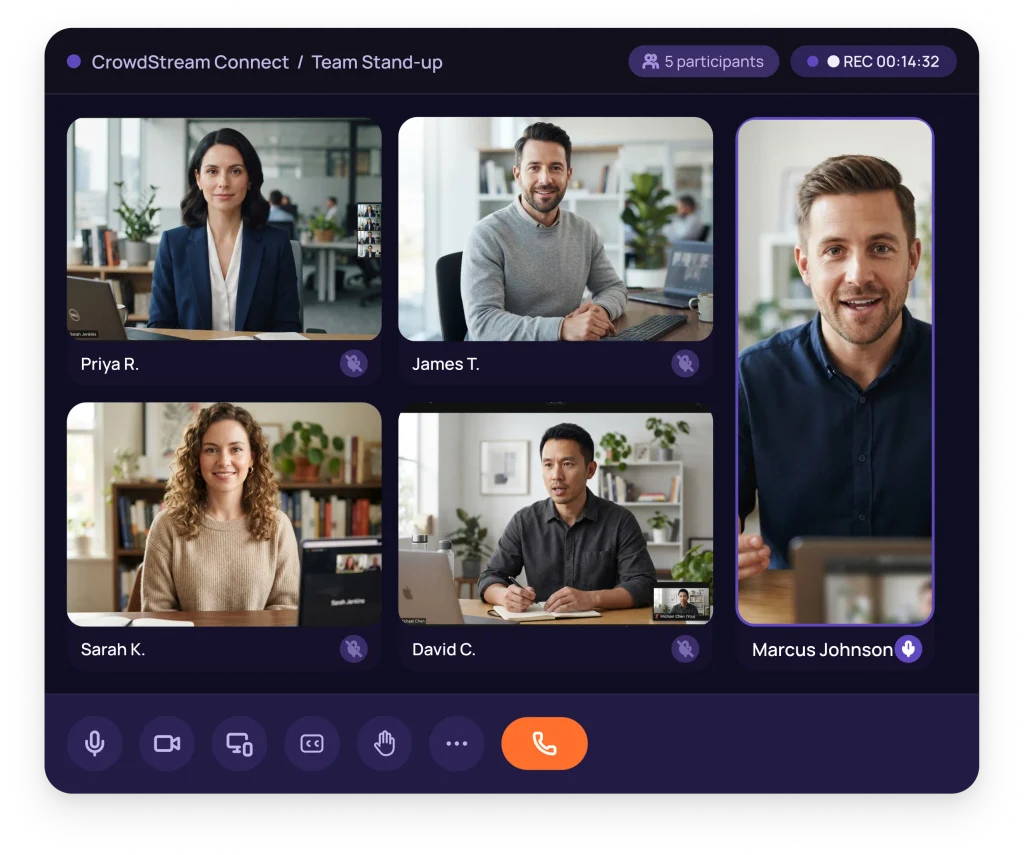
Explicit Audio Consent
Participants are clearly informed and give consent before audio is captured.
Recording & Transcription
Capture the meeting, generate a transcript and share it with your team.
Participant Controls
Manage recording, audio and participant permissions during the meeting.
FAQ
Frequently Asked Questions
About CrowdStream
Find answers to common questions about CrowdStream, its workflows, security, and how to get started.
What is an AI meeting intelligence platform?
It is a platform that records and transcribes business meetings, then uses AI to summarize the conversation and extract decisions and action items so teams can revisit and act on them.
What is CrowdStream Connect?
CrowdStream Connect is the meeting product in the CrowdStream family. It combines browser-based video meetings with recording, transcription, AI summaries, decisions and action items, and persistent project rooms.
Does CrowdStream Connect work in a browser?
Yes. Participants join business meetings directly through their browser, without a dedicated desktop application in the described workflow.
Does Connect support meeting transcription?
Yes. Meeting conversations can be turned into text that participants can revisit.
Can I record and transcribe video meetings with Connect?
Yes. Connect supports meeting recording and transcription, with explicit consent for audio and clear participant controls.
Can I search past meeting transcripts?
Yes. Searchable meeting history helps authorized users find relevant topics, participants, and decisions without relying only on memory or personal notes.
How does CrowdStream Connect capture meeting decisions and action items?
AI extracts decisions and action items from the conversation, assigns them to attendees, and connects them to project history.
Does CrowdStream Connect support asynchronous video collaboration for teams?
Yes. Persistent project rooms let teams hold live meetings or share recorded video updates and comments asynchronously.
READY TO GET STARTED?
Make Every Meeting Easier to Revisit and
Act On
Bring live meetings, searchable transcripts, AI-generated summaries, decisions, and action items into a connected workflow with CrowdStream Connect.