
AGENTLESS WORKFORCE VISIBILITY
Real-Time Visibility Into
Your Remote Workforce
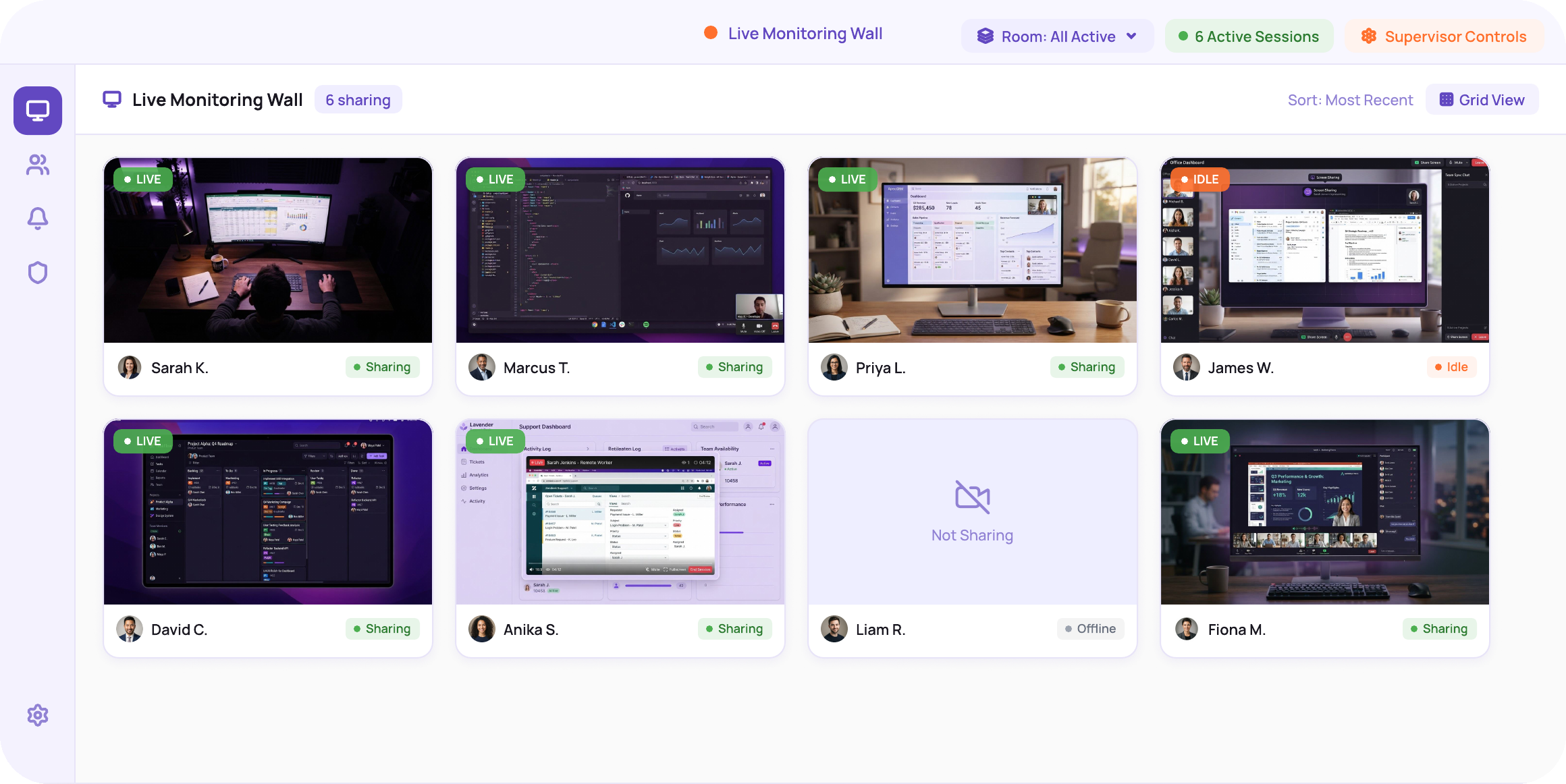
CrowdStream is agentless employee monitoring software: monitor participating workers through browser-based screen sharing. Give supervisors a centralized view of shared screens without requiring a dedicated CrowdStream desktop agent.
BROWSER-BASED VISIBILITY
Browser-Based Workforce Visibility Software Without a Desktop Agent
CrowdStream works as browser-based workforce visibility software: supervisors see worker screens through worker-initiated screen sharing. Workers keep control over what they share and can see the browser’s sharing indicator, so no dedicated CrowdStream desktop agent needs to be installed.

Browser-Based Access
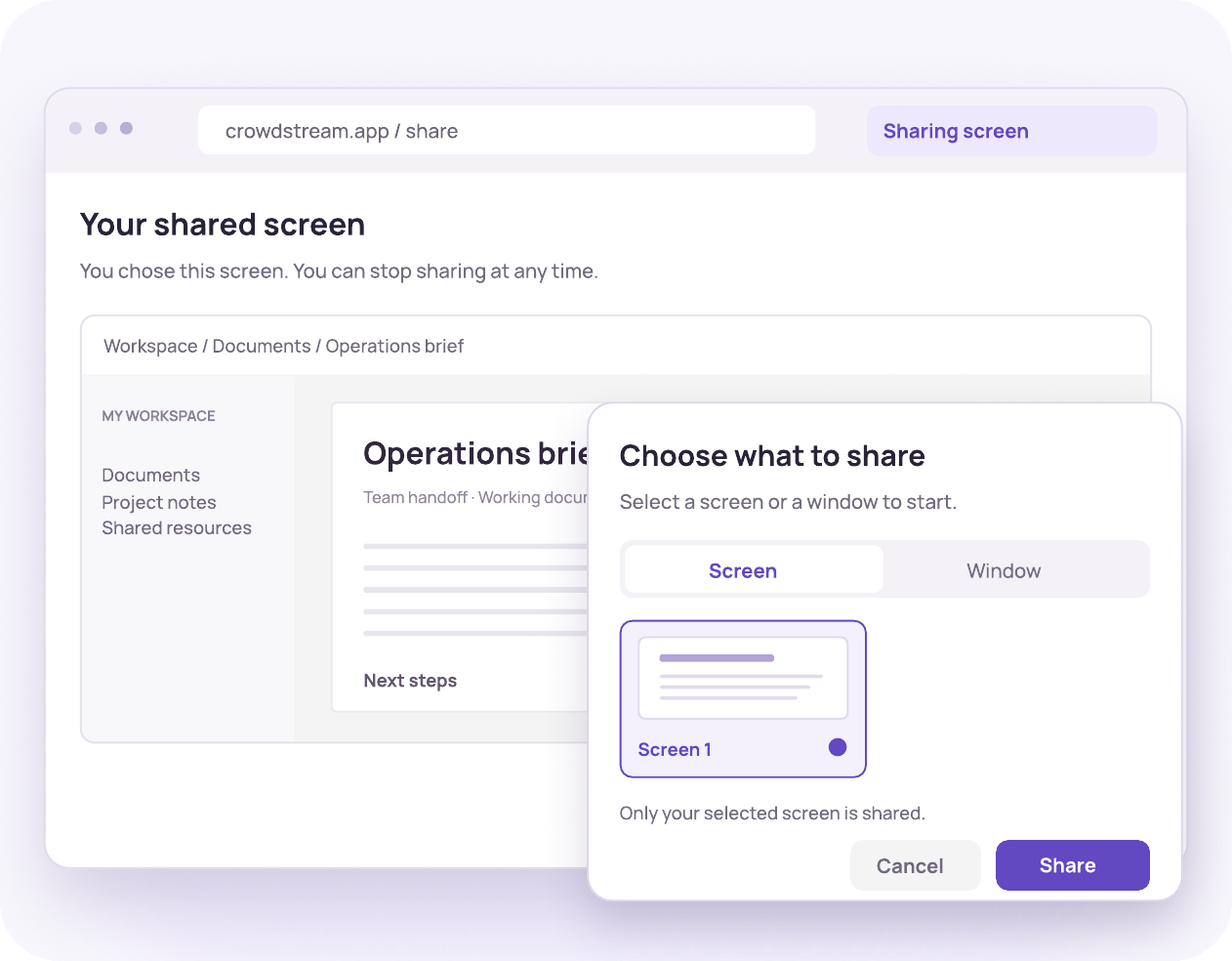
Workers share their selected screen through a supported browser.

Visible Screen Sharing
Workers can see when browser screen sharing is active.

Centralized Supervision
Supervisors view participating workers’ shared screens through one interface.
HOW IT WORKS
Real-Time Workforce Visibility
in Three Steps
Discover how workers start browser-based screen sharing and how supervisors get live visibility into shift activity.
1
2
3


Interview selected
Workers Share Their Screens
Workers initiate browser screen sharing and select the screen or window they want to share.
Interview selected
Supervisors View Shared Screens
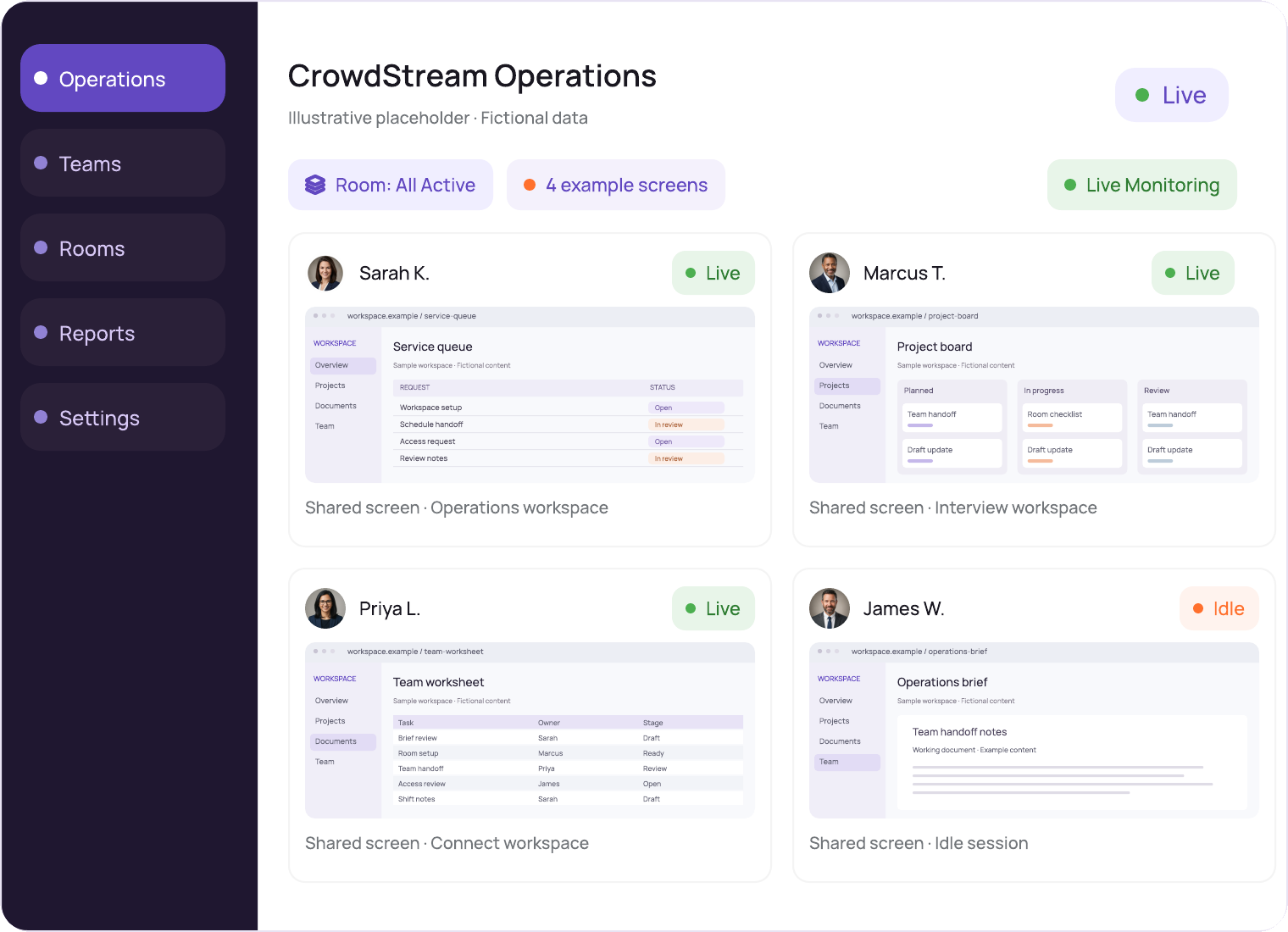
As live shift supervision software, CrowdStream lets supervisors watch participating workers’ shared screens on the live visibility wall.
Interview selected
Review and Follow Up
Supported by the deployed product, supervisors can flag relevant activity and review associated evidence.
CORE MONITORING CAPABILITIES
Remote Screen Supervision Software for Distributed Teams

Live Monitoring Wall
View multiple participating workers’ shared screens from a centralized interface.

Rooms and Worker Rosters
Organize workers into operational groups and view participation through the available room and roster controls.

Flags and Evidence
Identify and review flagged activity where these functions are enabled in the deployed version.

Reports and Oversight
Support operational reviews using reporting and history capabilities available in the product.

User and Access Management
Manage users and role-based access using the controls supported by the current release.

Privacy & Audit
Review screen-sharing activity and available audit records to support transparent oversight.
CONSENT AND PRIVACY BY DESIGN
Consent-Based Workforce Visibility Software
CrowdStream gives workers control over what they share through visible, browser-based screen sharing.

What can be shared
- Selected screen or window
- Camera feed (when supported)
- Active shared-screen content

What is not collected
- Keystrokes through keylogging
- Audio monitoring
- Clipboard, files and browsing history
Visible, worker-initiated sharing
Workers can see the browser’s sharing indicator and may decline or stop sharing, subject to applicable workplace policies.
SELF-HOSTED DEPLOYMENT
Self-Hosted Workforce Monitoring
Software With Single-Tenant
Deployment
CrowdStream supports self-hosted, single-tenant deployment options for organizations that need greater control over their monitoring environment and data handling.

Dedicated Environment
Single-tenant deployment rather than a shared customer environment.
Deployment Flexibility
Discuss the available hosting options with the CrowdStream team.

Operational Control
Review deployment, access, and data-retention requirements during implementation.
WHO IT IS FOR
Built for Three Kinds of Teams
Designed to support workforce visibility, shift supervision, and transparent monitoring across teams

Operations Leaders
Live visibility across distributed teams.

BPO Executive
Supervise multiple shifts and rooms from one view.

Compliance Officers
Understand CrowdStream’s monitoring limits.
PRODUCTION EXPERIENCE
Designed for Real-World Workforce Operations
As agentless employee monitoring software, CrowdStream supports workforce screen visibility in live operational environments, providing supervisors with a centralized view of participating workers’ shared screens without requiring the installation of a dedicated CrowdStream desktop agent.
Live Development

Centralized Visibility

No Desktop Agent
FAQ
Frequently Asked Questions
About CrowdStream
Find answers to common questions about CrowdStream, its workflows, security, and how to get started.
How many workers can a supervisor monitor at once?
As real-time workforce monitoring software, CrowdStream’s live monitoring wall supports up to 50 worker tiles, subject to the display and system configuration of your deployment.
Which browsers and devices are supported?
CrowdStream runs in a web browser. Supported browsers and devices depend on the deployed version; the CrowdStream team can confirm the current list during onboarding.
Can I start a free trial?
Contact the CrowdStream team to request a demo and discuss evaluation options for your organization.
Is CrowdStream self-hosted?
CrowdStream supports self-hosted, single-tenant deployment options. Discuss the available hosting options with the CrowdStream team.
Is CrowdStream GDPR compliant?
CrowdStream is designed around consent, visibility, and regional data residency. Compliance depends on how your organization configures and uses the platform; talk to the CrowdStream team about your requirements.
What is agentless employee monitoring software?
It is monitoring software that does not require a dedicated desktop agent. With CrowdStream, workers share a screen or window through a browser, and supervisors view it on a live monitoring wall.
Does CrowdStream require software installation on worker devices?
No. Workers join and share their screens through a supported web browser, without installing a CrowdStream desktop monitoring agent.
Can CrowdStream access keystrokes, clipboard contents, files, or browsing history?
No. CrowdStream does not collect keystrokes through keylogging, clipboard contents, files, or browsing history. Only the screen or window a worker chooses to share is visible.
Does CrowdStream record audio?
No. CrowdStream Operations uses screen and camera sharing without audio capture.
Can workers choose what they share?
Yes. Workers initiate sharing, select the screen or window to share, can see the browser’s sharing indicator, and may stop sharing at any time, subject to applicable workplace policies.
READY TO GET STARTED?
See CrowdStream in Action
Discover how browser-based, consent-led, agentless employee monitoring software can help supervisors gain live visibility into participating workers’ shared screens.